Scale and settings
MODPACK is unit-agnostic: points, t-shirt sizes, hours, complexity… The scale belongs to the project and is edited in the Settings page, like the rest of the configuration.
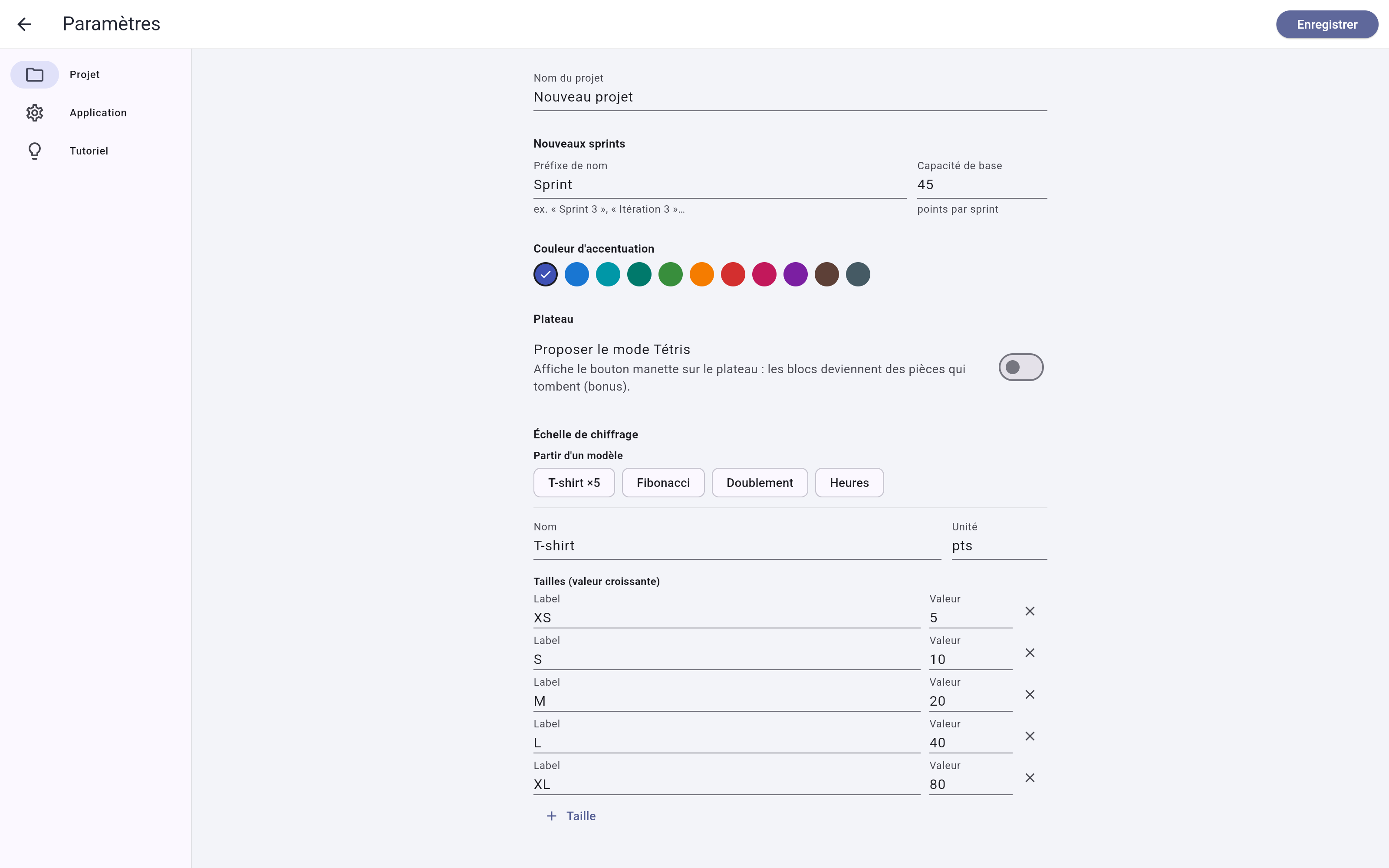
The estimation scale
- A scale = a name, a unit label and a list of sizes (label + value, strictly increasing, between 1 and 100).
- Preset templates fill the form in one click: T-shirt ×5, Fibonacci, Doubling, Hours — everything stays editable afterwards.
- Changing the scale never touches task values: only the input chips, the displayed badges and the color spectrum recalibrate. No task moves.
Project category
Project name, defaults for new sprints (name prefix, capacity), the theme's accent color (MODPACK indigo by default — it tints buttons, gauges and logo, in light and dark), and the "Offer Tetris mode" toggle. Everything applies at once via "Save"; leaving without saving cancels.
Application category
Theme (light / dark / system) and language (Français / English / system). These apply immediately and remain preferences of your machine: they are never written into the project file. The app version shows at the bottom of the category.
Tutorial category
The step-by-step walkthrough and the "Load the sample project" button — the best starting point for a new user.