Backlog and tasks
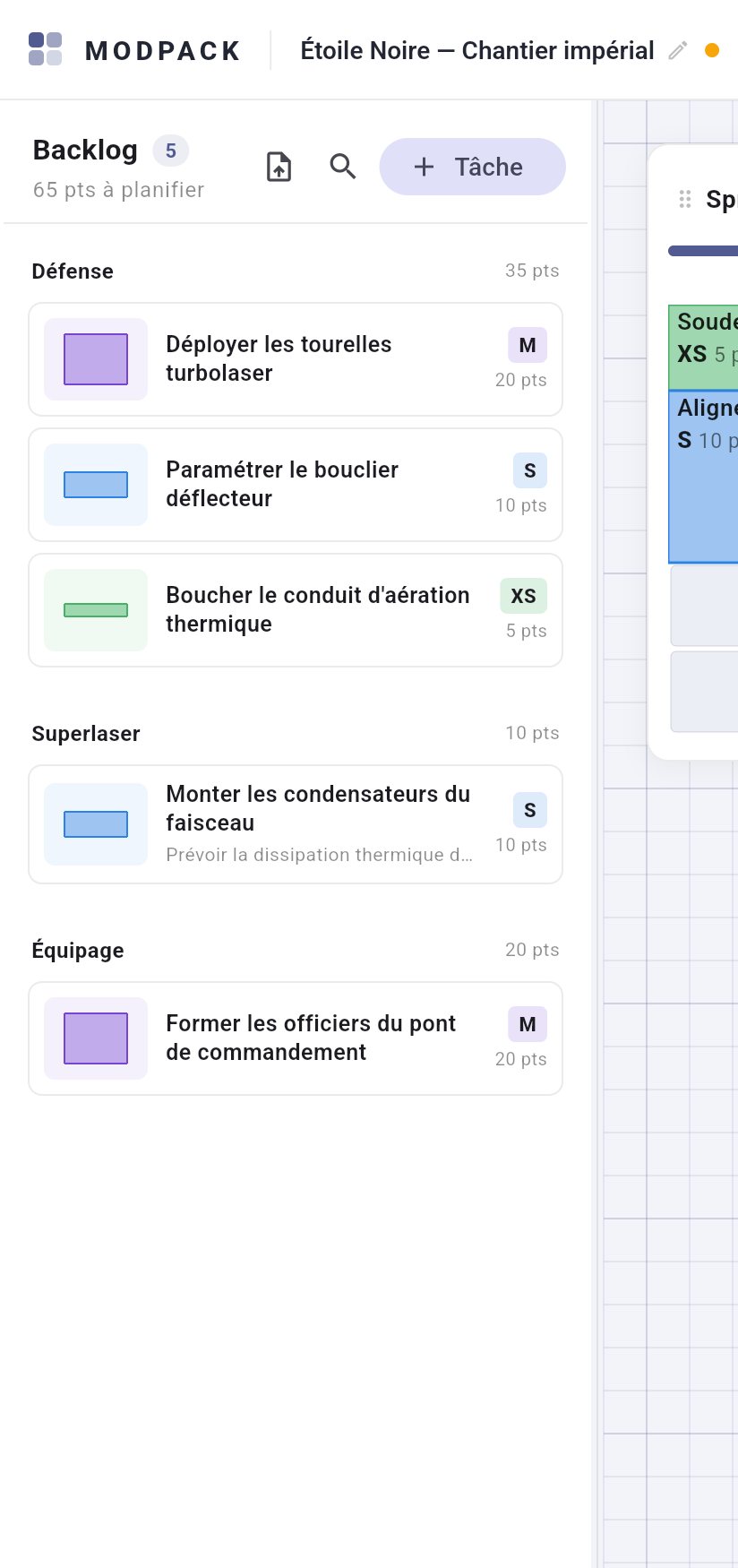
The left panel lists every unplanned task, grouped by functional scope and sorted by decreasing value. Its header totals the tasks and points left to plan.
Creating and editing a task
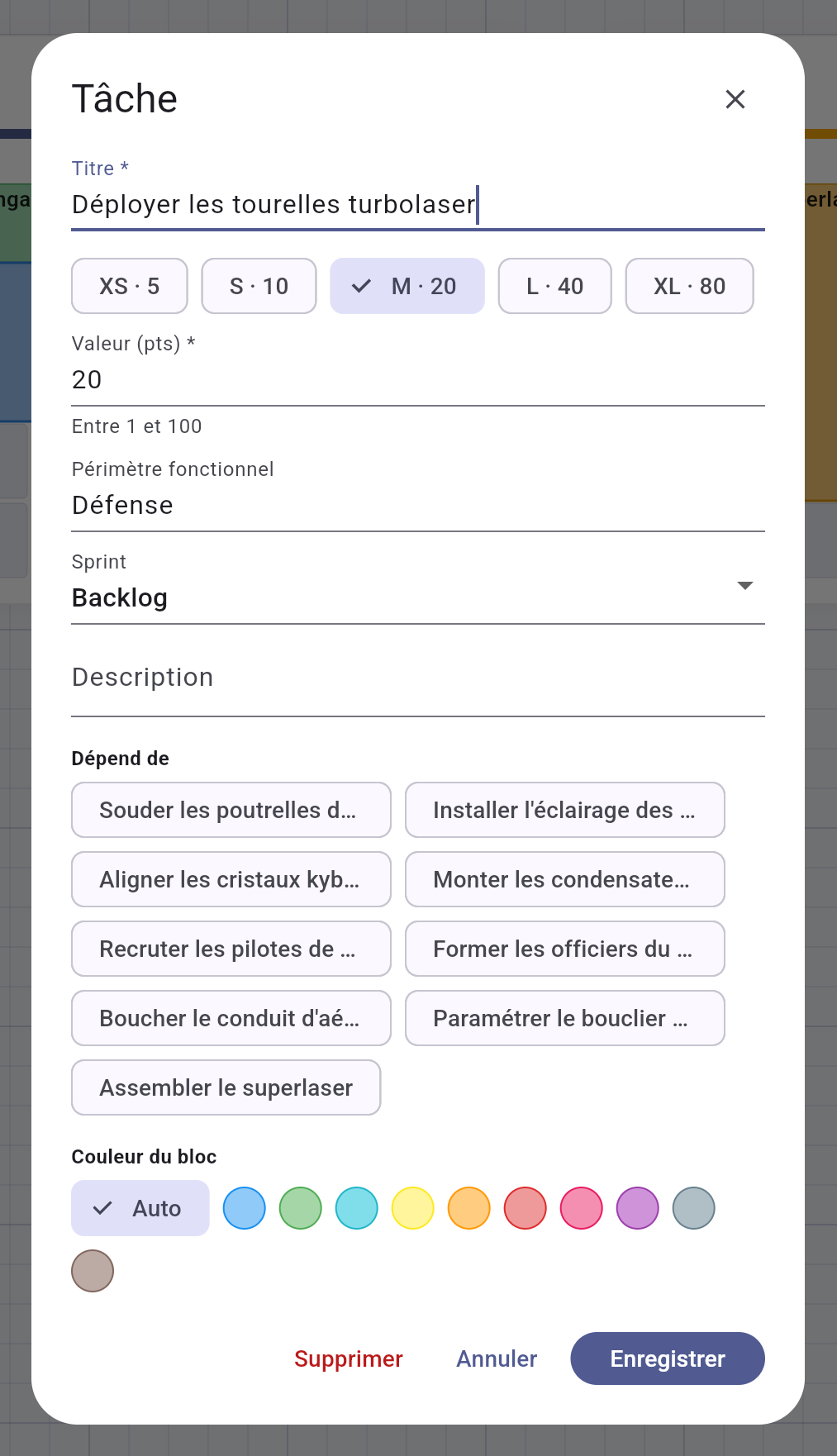
- "+ Task" opens the dialog: title (required), estimation in one click via the scale chips (or a free value in points), scope (with autocompletion on existing values), free-text description.
- A task is edited with a single click, whether it sits in the backlog, in a sprint or on the board.
- The dialog carries a "Sprint" selector: changing it moves the task on save — to a sprint (automatic placement) or back to the backlog. A sprint without room refuses with a message.
- A block's color reflects its estimation (a green-to-red spectrum aligned on your scale); the dialog can substitute a color from a pastel palette.
Organising
- The magnifier opens an instant search over title, scope and description. Closing it clears the filter — never an invisible filter.
- Dropping a card on another scope group changes its scope — including "No scope".
- Right-click a task, in the backlog or on the board: Edit, Duplicate, Send back to backlog, Delete (with confirmation).
- The panel resizes with its handle and collapses entirely (chevron button at its foot) to give the board the full width.
Dependencies between tasks
"Depends on" section of the dialog: checkboxes among the other tasks, cycles refused. It is a signal, never a blocker — a link icon with the count of prerequisites on the card, and their titles in the block's tooltip. MODPACK has no status and no date: tracking stays visual. "Duplicate" keeps the original's dependencies.